It's Time to deGoogle
Tips for degoogling your phone and get a taste of privacy
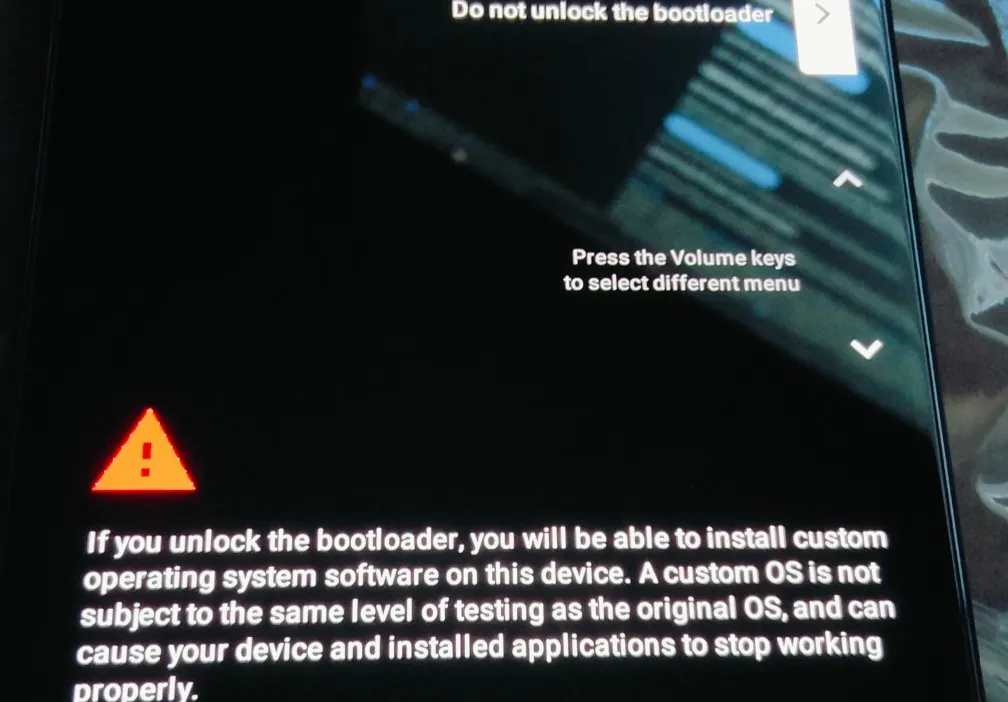
Remember when there were services selling ringtones or you could make your own, creating combinations on your old phone, so you could make a pretty close 16-bit version of The Final Countdown from Europe? Those were times before iOS and Android, and one could start to modify their phone, so did I. Later I started to root the phones to install games and modify their systems. I've literally bricked 3 Motorola's Rockr trying new stuff.
Years later, as an Apple user, I realized how crazy the big tech was going, with sky-rocketing prices of their devices, I decided to banish Apple from my life and saw hope on the open source Android. The choices of apps made me feel weird, as Google wasn't as strict as Apple with the choice of their developers, so I installed many applications I wouldn't today. To make matters worse, many apps worked only with user accounts or APIs (iCloud, Google, Facebook or Twitter), so a password manager was never necessary - "one password to rule them all would do", so I thought. Many undesired emails, some data talks and some phones later, I got some clarity: it's time to degoogle, but how?
Forums and research paved the way for my choice: a Google Pixel. "but you're still supporting Google" not if it's a refurbished/second-hand phone.
I decided for this phone because of its operational system - GrapheneOS. It's the most stable and long-supported. The second on my list would be e/OS, followed by LineageOS.
GrapheneOS has a clear and easy how-to page, and your phone can have a brand new OS in just a few minutes. I wouldn't say it's a downside, but it's only available on Pixels for now. It's supposed to be available on Motorola phones on late 2027, which can only push this OS forward.
Now let me focus on the pros and cons of migrating from Google Apps and let's talk alternatives:
Google Play Services
Unknown to some, this is an app that runs in Android's background. It is needed for the damn push notifications from installed apps and the functionality of some apps. Graphene also has a built-in Google Play Services sandboxed, if you want to use it.
MicroG is an alternative for non-GrapheneOS users. It intercepts calls that apps make to Google Play Services APIs and handles them using open-source alternatives. Logging in with a G-ACC isn't needed.
Camera
The first thing I realized is that not all GOS apps are close to their Google counterparts. A colleague of mine wanted to get a new Pixel because it can erase people from photos, and that doesn't work with GrapheneOS native camera app (actually it is an editor from Google that one can open from the camera/gallery). I don't even wanna know which technology Google uses for that, but it certainly analyzes the picture in search for faces and I guess it saves some of this process on their database. If I'm right, I don't wanna be in anyone's picture while passing by Brandenburg Gate.
GOS' camera is pretty basic, so there's an option to download the former Google's camera app, which wants many details from you, beside local storage permission (contacts, location, network, sensors, etc). "For a Camera? No way!"
I would also advise another Photo Editor, for Google's Camera App always tries to get you to download its original app from Google Play Store, if you want to edit something "fancy".
Browser
Vanadium, the counterpart of Chrome is pretty good and fair. Maybe it'll be great in the future. The only downside I see for now is actually a big deal: Many apps that require login don't recognize Vanadium as a valid browser and block access, failing the user agent verification.
Some go for DuckDuckGo, but its search engine is backed by Bing, while Brave's is expanding it's own (talking both browser and search engine). For now I went back to Firefox, both mobile and on PC and using DDG search.
The OS itself
Some - not many -, but some apps just can't accept Graphene. They don't support it usually because they use Google Play Service to authenticate the device (or due to the user agent info, which includes the OS). You may think of banks, but GOS has an extensive list of banks that it supports. I have zero problems with my main bank, but with Trade Republic (banking/saving/trading), there was a problem that was solved fast.
The reason why I still have an old android phone: one app from the government.
Keyboard
I communicate daily in three languages, so a keyboard that has the ability to autocorrect and add words for those languages in one place and with two different layouts was needed. Having a numerical keyboard on top and a shortcut key to emojis was also my focus. After testing some keyboards, I went with FUTO Keyboard. It may sound over the top to get an app only for that, but I was used to the layout from Oppo, and I got it all I wanted with FUTO Keyboard. Other options are about FlorisBoard (not for me because of the corelation between languages, layouts and dictionary - otherwise great), Hacker's Keyboard and Openboard.
App Store
Here's where it gets tricky and I admit I haven't mastered it yet. There are some stores you can use (also on your normal Android phone, to be honest). I'm gonna list some:
Aurora: Alternative for Google Store Same apps than Google's, as it's a mirrored version of the latter. Although you may log in using a Google account, you don't need to, so you can log in anonimously. It can crash from time to time, but deleting the cache usually does the trick. Sometimes it shows the descriptions of apps in other languages, but the app is installed in the phone's native one.
App Store: Native GrapheneOS app store
Some fair apps, but the list isn't long.Acrescent: Private and secure apps.
F-Droid: Master of open source
Many apps. Choose wisely.
Map
If Google really stole TerraVision's idea, wasn't decided by us, but we still can reclaim the power of community with Open Maps. It's better than years ago. There are some apps that use Open Maps as their baseline. I'm still unsure between OrganicMaps and CoMaps, both work good. For a public transport version, I go for the local company's one, as Google was never really accurate with that.
YouTube
Let's be honest, 1.6 Billion sounded a lot back then (the amount Google paid for YT), but since, ads were implemented, the music function was made available and subscription (to not see the ads Google embedded themselves in the first place) came to eat us. YouTube is a fairly good video player with an extensive amount of knowledge, users and channels in their db, but how to use an alternative, when there's nothing beating YouTube on their own game?
"Some people pay for Adobe CC, some crack it".
Something similar can be done here: PipePipe, NewPipe and other apps are great alternatives, blocking the ads on YouTube. One can save their favorite channels (no account needed). They won't get their revenue either, but you can still support them directly through merch and external subscription. Pipe has read comments function only, which means not logged in = no comment.
E-mail
The king on the board: it had to be unattached from the above services. We all know how terrible it is to create a new e-mail account. I'm still migrating and won't delete Gmail in the next years - you never know...
Hosting my email with my own domain was an idea, but the delivery can be affected nowadays, as big tech got the seal of quality in the delivery, own domains might suffer. Tuta (former Tutanota) apparently should be also good.
Proton Mail was my final choice. Beyond being a more private e-mail (lol, right?), it gave the option to migrate fast from other services from Google, such as...
Drive and Fotos
I've never adopted Google Fotos. It was pretty clear to me that their backup function would never work for me with only 5Gb of space, so it was easy for me. Proton's cloud drive is pretty ok. No complaints from now. It works, can be organized and also has the option to work on .doc and .xls files.
If you have a home server, I don't really have to say that NextCloud is your choice.
Authenticator
Ditch Google, Microsoft and co. I went with Ente Authenticator.
Password Manager
Again, Proton's all-in-one solution made everything easier. I guess you could also go with Mozilla's, but I wanted to focus everything in one platform. That's why Google services were adopted easily and fast.
Calendar
Its crazy how the big G can also know your preferences from your lifestyle. As mentioned above, I'm using Proton Calendar. My aim is to build my home server soon, so I can have my calendar always available and 100% private.
Final verdict: Some apps may not work 100% when installed from an outer source, some fixes here and there might be needed, so as the damn cache cleaning from Aurora, and you might have to get used to OpenMaps, but to be fair, I think it's a great trade. I know this post got long and it seems too much trouble to go through, but it really isn't that much different from setting up a new device.
UPDATE 02.06.2026: I was wrong about MicroG on Graphene. The sandboxed version of GPS still communicates with Google services, as long as you set its permissions right.
UPDATE 16.07.2026: Homeladb sproject began. NextCloud is amazing. This post will certainly be updated soon